Tuesday, 21 April 2026

Sack the teacher, not the smartphone.

 It's been many years since I have posted anything on here. It seems that e-learning simply gets interpreted as those training courses you do online nowadays. Everything in the classroom or involving teaching at schools and other institutions automatically includes using information technology in all its forms and there's little need to have any separate advice on what equipment to use and where to find it.

I am still annoyed at how many places insist on providing expensive Apple devices but there is a heartening number still promoting Chromebooks and sticking to the Android route so the battles continue as, I guess, they ever will.

The big difference now is the use of AI, not just by students in creating essays or that's simply what is the default response to a web enquiry, by by teachers and, indeed, everyone I meet. I am quite surprised, at first, by how readily everyone takes the AI results as gospel but then I think about this a little more and realise that, before the AI results, I tended to believe whatever Google told me when seeking advice on something. I think that was because it wasn't 'Google' telling me but whoever had authored the particular text being referred to on a website. That gave me some degree of faith, or lack of it, when you could see who was writing whatever it was. Some authors and sites you learned to trust. Others you treated with more than a little caution. AI's responses, however, just hit you and have a certain take it or leave it quality which can be disconcerting, especially when I am pretty sure they're wrong. Nevertheless the ability of AI to conjure up a story, image, video or a whole website, summarise a whole book in minutes is stunning and, I have to admit, ruddy useful.

I did ask AI to create of website for one of my businesses, Corgi Toys. It's first creation was a fascinating site promoting toys for corgi dogs! Wonderfully clever with all sorts of straplines, interesting and memorable phrases and attractive options for themes and logos etc. The fact that my Corgi Toys business is all about die-cast model cars and trucks from the 1956 to 1970s era meant that wasn't quite what I wanted but I had to smile at AI's first efforts.

I am now reading how almost everyone in teaching and politics wants to ban smartphones at school, with talk of special metal bags, locked spaces and all sorts of other rather restrictive methods to be adopted to prevent a student from utilising what I recall as being promoted as a tremendously useful learning tool when I was last here.

Nowadays, a smartphone is often the only way that people view the web, to the extent that we have all had to find ways to make websites look right on those thin vertical screens as well as those ancient people still viewing sites on landscape monitors. OK, that was a bit extreme and, of course, the laptops are everywhere at schools and colleges and there will, no doubt, remain rooms full of PCs, monitors and keyboards too. As far as I can tell, it is not the smartphone itself that is causing so much dismay and grinding of teeth amongst anyone over 20 but what the kids are using them for. So what's new? Since the dawn of being able to find naughty pictures or football matches or games of all sorts on computers, students have been sneakily going to places they shouldn't in classrooms, lectures or offices. They were just as able to send messages and pictures of this and that, usually that. I admit that videos are much simpler with a smartphone so, yes, there are a lot more of them floating around and AI makes all of this either more amusing or more appalling or both.

Basically, now that just about every student or employee has a smartphone the teachers and bosses want them to stop using them while at work or study. So why not just tell them that? If that's the rule then that's what children, or adults too, for that matter, need to obey. Staff, teachers, managers at all the places concerned just need to have some authority and expect that when they ask someone to do or not to do something then they'll have a reasonable chance of success. We do not need some new set of quasi legal instructions from the Department of Education to enforce this. We just need better teachers, managers and adults generally. And parents who bring up children to respect teachers and managers and what they're told.

I happen to believe that in many instances there is a lot of sense in using the amazing resources available on a smartphone in learning or completing tasks in an office. Yes, of course, it will be tempting to check mail, messages and whichever app is popular at the time and this has to be discouraged. I wouldn't ban a student from looking at a message if their work was progressing well. Where I do draw the line is in offensive material being shared, others being disturbed, by phone noises or vibration or the content itself and the general disruption that letting people be free to do as they please can create. And my students would know about the various lines. Cross them and they're out with whatever punishment one is allowed to inflict these days. Certainly something can be thought up which both complies with HR wokeness and serves as suitable deterrent to messing with my rules. Yes, take away the device! Of course, that's the obvious one. But leave those using theirs responsibly to get on with whatever they're doing. Reward respect. Treating everyone as some sort of purveyor of porn or bad egg in one way or another is simply not right. It may be convenient and teachers may think it provides a route to an easier life in the classroom if the whole school bans the damn things but it merely displays how little we trust teachers and managers now to have any control over those they are supposed to guide and direct.

What are we showing these people by way of how to behave? Assume they are all delinquent and incapable of listening to advice, warnings or obeying rules. Treat everyone as if they are the lowest common denominator of common misbehaviour or downright criminality. No, I fear for where this leads. If a teacher cannot control the use of a device n a classroom for 45 minutes then they need to be retrained. Or sacked.


Thursday, 29 May 2014

Diversity rules: only Sri Lankan girls with one leg can apply for this job


Google seem to be apologising for the lack of 'diversity' in their staff. In the same article they quote just 18% of Computer Science degrees being awarded to women and considerably smaller percentages go to Blacks and Hispanics. Now, I appreciate that it isn't just people with Computer Science degrees that Google are looking for but it would seem a reasonable guess that they are generally looking for people with good qualifications in related fields.

The figures are as they are, unless I am missing something, because that's who managers have decided best meet the various criteria for appointment across the whole range of posts. Fewer women and people from certain races apply in the first place or have suitable qualifications. Google should not now decide that, to reflect the population, they have somehow to recruit women in a higher proportion. How can you explain to a chap who is, in all other respects determined by managers to be the best candidate, that he didn't get the job because, er, sorry, we needed a woman.

The same argument applies to trying to develop a workforce that has, say, the same proportion of Indian people as some sample population. What do you do if you have more Indians than you need? Next we'll be bringing back the Only White Need Apply lines in advertisements!

The population is as it is for a whole bundle of reasons and the make-up of an organisation's workforce is as it is for a whole other bundle of reasons. Those bundles will not be the same and no amount of social engineering is going to make any difference. Leave this alone. Provided that managers are, indeed, being truly unbiased and the whole process of recruitment and appointment is fair, that is all we should seek. 

I sometimes think that too much is made of the differences between people, especially in colour or race. Why don't we simply stop recording who comes from where? Ignore it. Just judge people for who they are and how they perform. End of story. Clearly, at least I think it is clearly, the difference between men and women will continue to be there for all to see and figures are bound to be maintained in some way or another. But I wouldn't be able to tell the difference between Black African and West Indian, or Indian and Pakistani or, for that matter, White British and White American or however they're denominated these days.

Instead of trying to shove their workforce into some shape reflected by statistics, let them just recruit who's best. This diversity thing is getting out of hand.


Wednesday, 28 August 2013

At last! OFSTED really don't insist on intricate lesson plans and institution-approved forms.

After all the years of running around getting approved paperwork together just to show Inspectors, it is nice to see OFSTED pointedly remarking that they do not expect to see Lesson Plans in their guide.

There are several other sensible changes to the regime that staff may wish to bring managers' attention to - in case they are still insisting on this and that because that's what OFSTED want.

More about this here and, of course, make good use of some web tools!

The OFSTED site itself is pretty helpful too.

Ross Morrison McGill's blog also makes the point that there will now be a whole new range of CPD for staff in December! This, he suggests, would be a suitable cover illustration for the notes.


I am glad to have retired but may even consider doing some part-time work again now, which I definitely would not have down a year ago. And part-timers always miss CPD and training sessions anyway so I should escape them too. 

Of course, if anyone would like some sessions delivered by someone slightly less Grim Reaper-ish just ask. I am available December too and even earlier if you'd like to catch staff while they're enthusiastic.


Wednesday, 6 February 2013

Obfuscation


Clearly I am reaching the limits of either Serif WebPlus' or my old pc's capabilities but that's not why I'm posting this screenshot. I have written before about Greenshot and if I were to ever find a piece of software that tells me which programs I use most often other than operating system things then Greenshot would be up there in the Top 10.

Firstly, getting this as an image was simplicity in itself. You just hit the Print Screen button and up comes a grid that you drag around an area of the screen to save. I wasn't terribly accurate with this one and, yes, I could have used alt+Print Screen and then pasted it into an image editor in this particular case but most times I just want a part of a window. Normally that's it, I would just save the image and use it wherever it's intended to go.

This time, however, I thought I'd better do something about an ftp address and, instead of saving, Greenshot has several other options on offer, including its own little editor. I chose that and immediately there's a toolbar with various things I may or may not want to do to the image. The coolest is called Obfuscate and it pixelates whatever area you specify. Love that.

You'll almost want to take screen prints with this tool just so you can obfuscate!


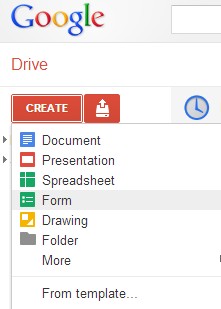
Webtools; notes on Google Forms now available

For some reason I missed out notes I'd written on how to set up a survey using Google's brilliant Forms.

So that's there now - here's the direct link.


Monday, 31 December 2012

New web tools site - lots of new links and notes

Web

I have just updated and completely revised the webtools site for teachers, students and, well, anyone really.

Lots of new additions and I have included some notes and suggested use decsriptions for a range of tools which will also be featured on the LSIS Excellence Gateway soon. (I have provided content - but not the design - for a Third Sector toolkit that will be hosted there).

If anyone has any more ideas just let me know. I'm sure I've missed plenty and, of course, new ones are appearing every week now which I'll try and keep up with.


Thursday, 18 October 2012

Apps²

A colleague has just shared this infographic that she found. My first thought was OK, that's interesting, a bit out of date but nice to see someone promoting use of some of these tools which, of course, is what I spend an inordinate amount of my time doing.

Click to enlarge

Then I had second and third and fourth thoughts. 

2. It's really a bit of a mess. 
I'll simply have to do something about that and redo it in rather smarter fashion, maybe adding some much needed links too. 

3. There are some quite important tools missing. 
OK, it may be old so I can remove some and add some. 

4. There are quite a few instances where lines need to go in more than one direction, tools that can be good for several elements. 
That can be included in the reworked version.

It was the fifth thought that really stuck, though: 
5. Wouldn't it be great if we could start in one application and stay in that application with everything we might need being something like an app within that application. 
Sort of app².

Ideas, drafts etc. go in and out of this central application. Some you discard. Some go straight in. Some need a bit of editing first and then get embedded. The whole end product, or 'content' as this graphic calls it, is a combination of various elements: text, images, data, media and any other dimension that I've missed out that can be shared, linked to, embedded, displayed or even printed in part.

I don't quite know where I'm going with this but thanks to Shri for getting me off on yet another journey in this e-learning world!


Tuesday, 16 October 2012

Too Many Apples For The Teacher


There is a scene near the end of The Prisoner in which Number 6 starts to speak. "I.." he begins. "I...I...I..." echo all the faceless ones in his audience. He tries to continue. "I..." only to be interrupted by yet louder and more forceful "I... I.... I..." and so it goes on... This seems quite appropriate to what seems to be happening now in many teaching advice articles, even to the extent of how to impress OFSTED (whose representatives surely would have made brilliant Number 2s had they been around at the time).

With all the free promotion from mostly intelligent and ostensibly fair-minded people like teachers and e-learning experts, Apple must be laughing all the way to the bank and can probably now afford to sack all but a few in their Marketing Department.

Everywhere I turn these days there's some eminent authority on education technology telling us, or a grant being offered by supposedly commercially independent quangos for institutions to report on, how wonderful iPads and iPhones can be and how to utilise Apple apps in teaching-and-learning.

I'm not saying that these are not good products. I'm not saying that they cannot contribute immensely to what we're all trying to do in education. What is so wrong is that these guys only talk about or write about or demonstrate Apple products.

There are alternatives. There are good alternatives. Some might argue that there are better alternatives. (I'll try and avoid that part of the argument!) But one thing's for sure - there are cheaper alternatives.

It's a bit like the days when colleagues would give presentations and tell everyone in the room to use PowerPoint or Word to do something that could just as easily be done in software that didn't need a Microsoft Office installation. I lost count of the number of references to Microsoft Office products I had to re-word in piles of course materials designed to assess teachers' and trainers' Information and Learning Technology skills in the earlier part of this Century proposed for publication by erudite bodies running on government money. Whilst they frowned on any logo or brand mark being featured in dissemination reports to the point where I was unable to get a payment authorised for something otherwise excellent with a picture of Homer Simpson somewhere in it, references to specific Microsoft or adobe products were conveniently ignored,

I have no objection to guidance notes and examples of how to do something featuring software or hardware that you need to pay for but when I read the more general recommendations or suggestions that teachers or institutions should adopt I really do think it is time for some balance.


There are loads of really good smartphones around now and soon there will be a real choice between Android and Windows 8 as well as the Apple operating system.


There are less numerous, but still excellent, Android and, coming soon, Windows 8, tablets or pads as well as the iPad. 

Generally Apple's products seem to be much more expensive than their Android competitors and the apps that I see recommended are often ones that have to be bought by staff or students on Apple systems where the Android alternatives are free. I have yet to read a set of suggestions where it would not have been easy to have written them with reference to the alternative products or by using generic terminology instead of specific tools which make the whole article deserving of a brown padded envelope floating through the writer's letterbox containing some suitable sign of appreciation from Apple. Something beginning with i, perhaps?

So can we please stop this ubiquitous use of Apple's very, very cleverly designed brand names. Let's talk about phones, not iPhones (or, worse, iphones!). Let's talk about pads or tablets or anything except iPads. Save those Apple Marketing people's jobs! They've worked hard to get you all on their side - it doesn't seem fair that you should be doing their work for them now does it?


Monday, 15 October 2012

Start with some quizzes or student comments with Socrative


Socrative is maybe not the best of names but it offers some useful tools to tutors to use in a class. At the beginning you can have some quizzes for them to do - multiple choice or asking them to include their own answer. If you know of someone else using the software and can get their Socrative quiz number then you can use theirs too, or instead, if you like.


On logging in the tutor is allocated a 'room' number. Students enter that on their devices and will then get to see the quiz or whatever that is provided there.

A nice feature is the way that the teacher can display the live results of the quizzes and also have them sent as a spreadsheet by e-mail.

It seems to work on a pc or mobile device quite happily with a clear interface actually best viewed on a mobile as the content tends to stretch across a normal screen and look a bit strange.

There are additional options for creating quizzes using a template that can be downloaded so the tutor can take their time setting up more detailed quizzes and answers in their own time rather than on-line. I haven't noticed yet how many times this can be used with, or what options are not available in, the free version but it's certainly worth a try to see what you can do with it, even just to have the students occupied at the start of a lesson while the late-comers wander in.

It hasn't the most intuitive of interfaces - for instance, it takes time to figure out how to make quizzes available and it expects students to include their name as Surname, First name which, together with the title, says something about the team behind this! I guess the way people enter names can be changed, though, and may just be a demo thing.

t.socrative.com and m.socrative.com are the mobile sites for tutors and students respectively. You can play around yourself with two devices and pretend to be a student or get the wife and kids to help check that it all works as you want.


Tuesday, 9 October 2012

Caibre - Make, Find and Manage Ebooks


Very impressed with Calibre, an open source application for managing e-books. It converts files to make documents compatible with all kinds of device and just seems to be able to do everything you might ever want.

Being able to browse books by cover is great and so too is the News search and download with a huge range of sources across the world.

Whether you just want to organise all those e-books you've accumulated, find more or browse news in the world on your device, this software is well worth downloading. You will surely find it useful at one point or another and can use it to create your own - that creates some interesting opportunities for sharing material perhaps?

The developer, Kovid Goyal, has also put together a first class video showing you how it all works.

http://calibre-ebook.com/demo


Wednesday, 3 October 2012

Something I forgot in the Webtools Media section: VLC Media Player


A colleague just asked what application would be good for converting certain types of video files (without using an on-line tool) and my first thought was to have a look at the web tools site to check out VLC.

For some reason I had forgotten to include this excellent bit of software from the VideoLan organisation when I transferred links from the previous site! So I've added this back in now and am here giving it a bit of extra promotion because it is very simple and very good. Admittedly, you don't get all the bells and whistles and lovely graphics of Windows Media Player but it does what it says on the bollard, I mean, tin.

Whilst it's not really a 'web tool' it is a tool and you do get it from the web and you may well find it pretty damn useful so it should be included in the Media section which is where I shall now add it.


Tuesday, 2 October 2012

More experiments with web tools: Animoto


Make your own photo slideshow at Animoto.

The interface makes it dead easy to grab a folder of images from Picasa (or other on-line collections). Limited selection of music tracks in the free version but this one kinda worked. My son'll like it anyway and will probably have tagged himself in it already.

One idea I must try is to make images that fit a particular learning object - maybe illustrate a process in a fun way. The key thing about this, though, is that this took longer to process than to make. It can only have been 2 or 3 minutes to log in, select an album, a template and a track. Animoto do the rest.

Just checking out some tools: GoAnimate


The toolbox 1 by AndrewHill on GoAnimate

Video Maker - Powered by GoAnimate.

Think I need something with better expressions! And they sound pretty boring too! Still, it's so quick and easy that it shouldn't take too long to make another. First I shall look at some alternatives, though. 

Wednesday, 26 September 2012

Friday, 14 September 2012

Web tools update

New additions on the Web tools site:

penzu a delightful and delightfully simple to use note, blog, write it down tool with lots of extra uses

101 a simple app which makes sending SMS to pupils and parents easy and safe

lingro very cool on-line dictionary, 11 languages and facilities for web translation

QR codes make your QR code images and links

meetings.io video conference as simple as it can be - just share a url!

myna remix music tracks, collaborate, record your own voice

Schoology a nice place to view and share teaching resources with extra features too for your own classes

BrainNook
SccotPad
ConceptBank

three apps featured on the Schoology site but which have appeal individually for maths and language, common core subject activities

yola nice all-on-line web site building with no code knowledge required and almost invisible advertising


Ooo, Schoology!

Some time ago I signed in to Schoology, thought it looked interesting but then must have been distracted by something and forgot to go back and review the site. It's great - well set out and, so far, seems free and uncluttered with no adverts trying to sell us this or that.

I am still trying to figure out exactly what I can do with an area called The Studyzone which I presume is the name I gave to one particular area but the key feature that I should draw your attention to is the shared resources section. Here teachers from all over the place have added their own materials and links. These can be searched and sorted - by most highly rated or most recently added, for example (although none of those I added appeared in the most recently added search so my guess is that there must be some delay between publishing and their actual availability for reasons I have yet to understand. With luck, it will be a check on suitability, copyright and if someone is filtering out potentially offensive material then that would be a good reason.

Yes, it's mostly US-based and the references are to their curriculum but whether you say maths or math, organise or organize shouldn't detract too much from their value. I suppose the English materials could get a bit annoying with dialing instead of dialling (although just who does dial any more?) but, again, it may well be that the basic ideas being shared could be easily adapted for use on whichever side of The Pond you are.

I like the link to Google Documents which would enable very quick sharing or publication of files stored on-line but haven't yet put that to the test.

There's a blog section but, really, you might best be advised just to throw in a single post linking to your existing blogs and continue to utilise Blogger, Wordpress, Tumblr or whatever which have rather more useful RSS feeds that can be picked up and deposited elsewhere, like VLEs if you still use one. The still was deliberate as, and this will have to be a separate article, I think we are coming to the end of VLE Days as we know them. But that is another story. Back to Schoology.

In amongst a section called Apps I found a few new bits and piecesI had not encountered before that look worth a closer look and will be added to the Webtools site soon. these are 101, a simple way to text students, parents etc with updates, advice, requirements etc. Another is BrainNook. In BrainNook, children travel through virtual worlds while playing math and language games, complete assignments to win badges, and compete with their classmates to reach the top of their class scoreboard. BrainNook games are mapped to the Common Core State Standards for Mathematics and Language Arts.

Then there's Scootpad. ScootPad is a way to engage students in mastering Common Core Standards and Concepts in maths and reading with personalised, self-paced and stimulating practice. It is claimed that their data and research show that students practice on average 5 times more problems on ScootPad than the traditional worksheets/paper.

Teachers get real-time classroom performance dashboards and reports that enable in-depth progress tracking and proficiency insights. Teachers can assign and review homework (Maths Practice, Reading Practice, Spelling Practice, Reading Log etc.) and students can complete and manage their homework all online on ScootPad.

Lastly, there's Concept Bank. Now that's not a name that is likely to fire the imagination but this is what they say it does: "Common Core Standards drive a major shift in both instruction and assessment. We've made it easy for educators to access/navigate the standards, drill down to the supporting concepts and review sample questions to better understand the instructional shifts and practice rigor needed to ensure that all students are on track to college and career readiness." It looks a lot simpler and that's why I'm including it here. They might need to hire someone to write better reviews or descriptions.

Now it may be that I've missed some huge charge for some of these apps or that they are totally impossible for anyone in the UK to utilise but maybe someone will take a closer look before I get a chance and advise. Certainly if you're reading this in the States then these could be useful straight out of the box. Wherever you're based, though, I would encourage you to take a look at Schoology.

Monday, 3 September 2012

More money offers for educators (but be quick for some!)

EPIC AWARDS (UK) UGDH60

Provided by Voluntary Arts Network, the development agency for arts participation, the Epic Awards are designed to draw attention to work taking place within the voluntary and amateur arts sector. The awards aim to provide these groups with the opportunity to raise their profile and to win a package of prizes including training, equipment and publicity.

The awards will be made under the following four categories: Engagement | Partnerships | Innovation |
Creativity

Successful groups receive an electronic Epic Award winner pack including logo and branding that can be used on all communication, if desired. The winner of each of the four categories will receive £250 worth of gift vouchers and runners-up will receive £100 worth of gift vouchers. These can be redeemed at GreatArt. Each winning group will also receive annual membership of Arts Development UK, worth £165.

Voluntary or amateur art and craft groups/organisations in the United Kingdom and Ireland are eligible to apply ie:

  • Those arts and crafts that people undertake for self-improvement, social networking and leisure, but not primarily for payment.
  • Groups that are self-organised.
  • Not-for-profit groups.
The deadline for receipt of entries is 30 November 2012 (5pm).

LandAid - Open to Applications to become a Charity Partner

LandAid is now seeking to establish new partnerships which will form the focus of its grant giving and other types of support over the next three years. Funding is available for the refurbishment, conversion, extension or new build of facilities for disadvantaged young people (16 to 25 year olds). Projects should provide or improve buildings or spaces within a building to support young people, such as, providing them with accommodation, independent living skills, educational or employment opportunities.

Priority will be given to projects that provide support for young people who live in communities which are high in the Indices of Deprivation or directly experience the issues associated with deprivation, many of whom are also NEETs (not in employment, education or training).

Registered charities and registered community interest companies in the UK can apply for capital grants of between £20,000 and £150,000 per annum. Smaller amounts of grant are also available for revenue projects associated with the capital investment, as part of the £20,000 to £150,000. LandAid is also able to offer a variety of in-kind support, such as free property and building advice, mentoring and work experience opportunities for young people.

The deadline for applications is 1 October 2012 (5pm).

INDIVIDUAL FUNDING FOR RADIO AND AUDIO TRAINING (UK) UE0010

The Individual Funding for Radio and Audio Training scheme supports freelance radio and audio professionals with funding to spend on the craft, technical and business skills training the industry needs.

Grants will be offered to individuals to undertake short courses or other short term training solutions, coaching and mentoring solutions as part of continuous professional development (CPD) training within two priority areas:

  1. Craft and technical skills, including those related to the use of online / social media and digital platform technology.
  2. Business, team working and management skills.

The grant can account for up to 80% of the combined course fees, travel and accommodation costs to a maximum of £1,500 inclusive of VAT.

The money can be spent on any course that meets a demonstrable need for career progression or up-skilling. It will only support training that develops skills within the following priority areas, which have been identified as a result of research and consultation with the industry on short and long-term skills gaps. The scheme can fund the following:

  • Craft and technical skills, including those related to the use of online / social media and digital platform technology.
  • Business, team working and management skills.
  • Travel and accommodation costs.
  • Childcare costs.

The scheme is open to applications by freelance radio and audio industry professionals in the UK. The radio and audio industry is defined as the major radio broadcasters, including commercial, BBC and, community radio companies and independent radio and audio production and post production companies.

The deadline for applications is 30 September 2012.

Equality and Diversity Partnership Project Fund 2012-13

The Skills Funding Agency and Learning and Skills Improvement Service (LSIS) are pleased to invite learning and skills providers to submit bids to deliver projects which advance equality, diversity and inclusion.

This is a flexible project fund, designed to enable Further Education and skills providers to design and deliver the projects that will have the greatest impact for learners and potential learners in the Further Education sector.

The aim of the fund is to support innovative and sustainable projects which develop the capacity of the sector to meet the public sector Equality Duty.

Individual colleges and training organisations are invited to bid for one of the following:-
A grant of between £1,000 and £4,999
A grant of between £5,000 and £25,000

The application process will open on 10 August and will close on 10 September 2012. Please re-visit this page for instructions on how to apply.

Phase 2 Support and Aspiration

LSIS is inviting project Clusters that will be managed by a specialist adviser in each of the nine regions and will be expected to focus their energies on 'Preparation for Adulthood' and 'Challenging Low Expectations' through sharing delivery and effective practice.

In May 2012 the DfE published Support and aspiration: A new approach to special educational needs and disability - Progress and next steps which sets out progress to date in relation to the vision articulated in the original Green Paper. In the paper the Government promises to:

"expand the clusters of FE providers to include additional providers and are considering how to encourage the Teaching School Alliance to engage with FE clusters as we take forward phase two of the work."

The Aims of Phase 2To create a greater shared understanding of how providers in the sector can work together colloboratively and not competitively to spread knowledge, improve expertise, build capacity and share delivery arrangements in order to support learners prepare for adulthood
To evidence and model progression pathways for learners

Outputs expectedEach cluster will be required to write a short final report end of July 2013
Resources developed to support the project outcomes will be shared with the sector via the Excellence Gateway.

Each provider taking part in phase 2 will receive a grant of £4,000.

The closing date for applications to this fund is 14 September 2012 at 12 noon.

Tuesday, 17 July 2012

Thinglink - make your images interactive

Love this new free tool from Thinglink. It makes it easy to add hotspots to your images which display as small dots which, when moused over, display video, text or almost anything by way of web content.


Always a big fan of using images in materials and resources for students and just making whatever you create look more interesting, this adds yet another dimension to them.

E-learning and Digital Cultures. Free on-line course with Edinburgh University


E-learning and Digital Cultures is a free on-line course from Edinburgh University aimed at teachers, learning technologists, and people with a general interest in education who want to deepen their understanding of what it means to teach and learn in the digital age.

It's Showtime for Maths, ICT and English. At the Royal Albert Hall!

There's a great set of resources available at My Resource Cloud. They look ideal for anyone looking to make Functional Skills a bit more interesting, covering Maths, English and ICT with guidance in videos from real staff at the Royal Albert Hall as to the work involved in putting on and promoting a new show.


The complete set of resources are free, charity-commissioned and designed and developed by Bongo LLP, available for PC and Mac computers.

Download the software at this link.


Some of the illustrative shots of kids taken as if from up a ladder with an odd lens and an unfortunate freeze frame on the video summary above might benefit from a little adjustment as well as some spelling! Very classy stuff for all that, though and should provide many teachers next term with a good few weeks' worth of ready-made and modern activities.